
Signed-in sessions
Keep using the accounts you rely on without handing those sessions to the next person at the keyboard.
Keep your logins, tabs, history and browser space behind one password — without switching browsers or signing out of everything.
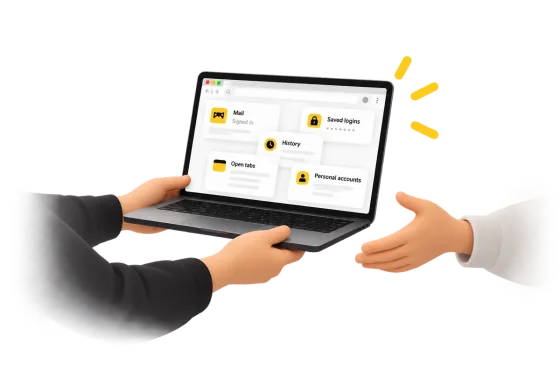
Your browser is more than a window to the web. It remembers where you've been, what you're signed into, what you were working on and how you like things set up. VaultMyApp keeps that browser space yours, even on a computer other people use.
Keep using the accounts you rely on without handing those sessions to the next person at the keyboard.
Your browsing history belongs in your browser space, not in a profile anyone on the computer can casually open.
Come back to your own browser context instead of wiping it away every time someone else needs the computer.
Keep the browser space you use every day separate from everyone else's access to the machine.
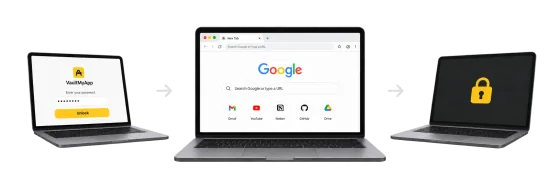
VaultMyApp is designed around the browser you already use and the habits you already have. The protection should disappear into the workflow.
Enter your VaultMyApp password when you want to use your private browser space.
Your sessions, history, tabs and browser state remain available to you while you use the browser normally.
Your browser space goes back behind the password instead of remaining available to whoever uses the computer next.
VaultMyApp keeps your browser data encrypted on disk while you use it. It doesn't unpack your full browser space into a readable folder when you unlock it. Data is handled in the pieces the browser actually asks for.
Need to choose a protection method? Compare ways to protect a Chrome profile while keeping accounts signed in. Keeping its contents private and keeping the space out of view are different goals: see what locking does—and does not—hide.
Let other people use the machine without leaving your own browser space open to them.
Keep your own unrestricted browser space separate instead of relying on everyone to stay in the right profile.
Keep your persistent browser space for yourself instead of signing out of everything before every handoff.
VaultMyApp is not publicly available yet. Join the waitlist to hear when early access opens.